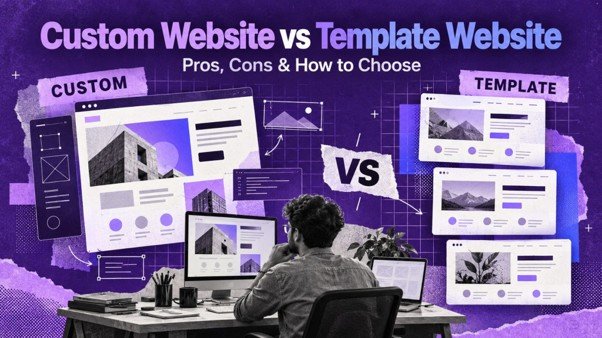
When you start planning a website, you quickly face a fork in the road. One path leads to a template: a ready-made design you customise with your logo, colours and content. The other leads to a custom website: a design and build created specifically for your brand, from the first sketch to the final line of code.
Both paths can lead to a successful website. Both can also lead to disappointment if chosen for the wrong reasons. This guide explains the real differences between custom and template websites, including costs, timelines, branding, SEO and long-term flexibility, so you can make a confident decision.
What Is a Template Website?
A template (often called a theme) is a pre-designed website layout. It comes with ready-made page designs, colour schemes, fonts and sections. You or your developer swap in your content, adjust colours and fonts, and publish.
Templates exist for almost every platform: WordPress themes, Shopify themes, Wix and Squarespace templates, and HTML templates. Many are beautifully designed and built by experienced teams.
Pros of Template Websites
• Lower cost, because the design work is already done
• Faster launch, often in days rather than weeks
• Tested layouts that already work on mobile and desktop
• Large support communities for popular themes
• Predictable outcome, because you can preview the demo before buying
Cons of Template Websites
• Less unique, since thousands of other sites may use the same theme
• Content must fit the layout, which can feel restrictive
• Unused code and features can slow down the site
• Customisation limits appear when you want something the theme was not built for
• Dependency on theme updates, which can occasionally break customisations
What Is a Custom Website?
A custom website is designed from scratch around your brand, audience and goals. A designer creates wireframes and visual mockups, then developers build the site to match. It may still run on WordPress, Shopify or another platform, but the design and structure are unique to you.
Pros of Custom Websites
• Unique brand identity that stands out from competitors
• Designed around your content and customer journey, not the other way around
• Cleaner, lighter code that can load faster
• Built for specific functionality, such as calculators, configurators or custom workflows
• Easier to scale, because the architecture is planned for your growth
Cons of Custom Websites
• Higher upfront cost, because of design and development hours
• Longer timeline, typically weeks rather than days
• Requires more input from you during discovery and design reviews
• Depends on a skilled team; a poorly built custom site is worse than a good template
Custom vs Template: Side-by-Side Comparison
| Factor | Template Website | Custom Website |
| Upfront cost | Low | Medium to high |
| Launch speed | Days | Weeks |
| Brand uniqueness | Limited | High |
| Design flexibility | Within theme limits | Unlimited |
| Performance | Varies; can be heavy | Can be highly optimised |
| Specific features | Plugin-dependent | Built to order |
| Scalability | Moderate | High |
| Best for | New and small businesses | Growing and established brands |
The Hybrid Approach: Customised Templates
There is a third path that many businesses do not realise exists: a customised template. Here, a professional team starts with a solid, lightweight theme or design system and then customises it significantly: unique homepage sections, brand-specific typography, custom icons, tailored page layouts and optimised code.
This approach delivers much of the uniqueness of a custom site at a cost and speed closer to a template. It is how VisionaryCue can launch professional websites quickly, starting at ₹2,700 onwards, while still making each site feel like it belongs to the brand. Read how we launch business websites in 48 hours using this approach.
How Cost Differs
Template websites mainly cost the theme price (sometimes free) plus setup and content placement. Custom websites add discovery, wireframing, visual design, frontend development and more testing.
The real cost question is return on investment. A template site that converts well is a better investment than an expensive custom site that nobody visits. Equally, a growing brand that loses credibility because its site looks like a competitor’s may be losing more money than it saves.
For detailed price ranges, see our guide to website development cost in India or check our current pricing.
Impact on Branding
Your website is often the first impression a customer has of your business. Branding is not just your logo. It is the feeling people get when they land on your site: modern or traditional, premium or affordable, playful or serious.
With a template, your brand adapts to the design. With a custom website, the design adapts to your brand. For businesses in competitive markets such as fashion, interiors, hospitality, real estate or professional services, that difference can be significant.
If you are a new business still defining your identity, a template can be a smart first step. You can invest in a custom design once your positioning is clear.
Impact on SEO and Performance
Search engines do not care whether your site uses a template or custom design. They care about:
• Page speed and Core Web Vitals
• Mobile usability
• Clean HTML structure and headings
• Quality, relevant content
• Internal linking and site architecture
Some multipurpose templates include sliders, animations and dozens of features you never use, which can slow the site down. Custom sites can be built lean from the start. However, a well-chosen lightweight theme, configured by experts, can perform just as well.
Learn how to keep any site fast in our guide on website speed and Core Web Vitals.
Impact on User Experience
User experience (UX) is about how easily visitors find what they need and take action. Templates are designed for a generic audience. Custom websites are designed for your audience.
For example, a coaching institute’s visitors want course details, fees, batch timings and results. A generic template might bury those under a large image slider. A custom design puts them front and centre. Our UI/UX design process maps real user journeys before designing a single screen, and you can read the UI/UX principles that increase conversions here.
When to Choose a Template Website
A template or customised template makes sense if:
• You are a new business or startup with a limited budget
• You need to launch quickly
• Your website needs are standard: services, about, gallery, contact
• You are testing a business idea
• You plan to upgrade to a custom design once the business grows
When to Choose a Custom Website
A custom website makes sense if:
• Your brand identity is a key differentiator
• You operate in a crowded market where standing out matters
• You need unique functionality that themes cannot provide
• You have complex customer journeys, such as multiple audiences or services
• You expect significant growth and want a scalable foundation
• Your current template site is holding back conversions
If you are unsure whether your existing site has outlived its template, look at the signs your website needs a redesign.
Questions to Ask Before Deciding
1. What is my realistic budget for year one, including maintenance?
2. How soon do I need to be online?
3. How different do I need to look from competitors?
4. Do I need features beyond standard pages and forms?
5. Who will update the site, and how comfortable are they with technology?
6. Where do I see the business in two to three years?
Your answers will usually point clearly towards one option.
How to Evaluate a Template Before You Buy It
If you lean towards a template, a little homework prevents expensive regret. Check these points before committing:
• Speed test the demo. Run the theme’s demo page through a speed tool. If the empty demo is slow, your site will be slower once content is added.
• Check update history. A theme updated regularly is more likely to stay compatible with your platform’s latest version.
• Read recent reviews. Look for complaints about support response, bugs or broken features after updates.
• Review mobile layouts. Open the demo on your phone. Check menus, buttons, forms and text size.
• Look for accessibility. Good contrast, readable fonts and keyboard-friendly navigation show the theme was built carefully.
• Avoid lock-in. Some themes store content in proprietary formats that are painful to move later. Prefer themes that use standard editors.
• Count required plugins. If a theme needs ten plugins just to look like its demo, expect slower performance and more maintenance.
What a Custom Website Process Looks Like
If custom is the right path, it helps to know what you are signing up for. A typical custom project follows these stages:
1. Discovery. Workshops or calls to understand your business, audience, competitors and goals.
2. Sitemap and content plan. Deciding every page and what each one must achieve.
3. Wireframes. Simple black-and-white layouts that focus on structure and user flow before visual styling.
4. Visual design. Full-colour mockups for key pages, reflecting your brand identity.
5. Development. Building the approved designs into a working, responsive website.
6. Content population. Adding final text, images and media.
7. Testing. Checking every page on multiple devices and browsers, plus forms, speed and SEO basics.
8. Launch and training. Going live and teaching your team to manage content.
Each stage includes a review point, so you stay in control and avoid surprises at the end. Expect to spend a few hours in reviews across the project. That time investment is what makes a custom site fit your business so well.
Mistakes to Avoid With Either Option
Buying a theme because the demo looks great. Demos use professional photos and perfectly sized text. Check how the layout will look with your actual content.
Choosing a heavy multipurpose theme. “Can do everything” themes often load slowly. Pick themes designed for your type of business.
Going custom without a clear brief. Custom projects need clear goals. Without them, costs and timelines spiral.
Ignoring mobile. Whatever you choose, test it on a phone first. Most of your visitors are mobile users. See why mobile-first web design matters.
Forgetting about ownership. Make sure you own your domain, content and, for custom builds, the code.
How VisionaryCue Approaches This Decision
We start every project with a short discovery to understand your business, audience and goals. Then we recommend the right approach: a fast customised template, a fully custom design, or a phased plan that starts simple and evolves. Our web design and development service covers responsive design, mobile optimisation, basic SEO setup, Google Analytics and contact form integration, and every plan includes our essential Digital Marketing & SEO package free.
Real Business Scenarios: Template or Custom?
A home tuition centre opening its first branch.
The owner needs a credible site with course details, timings, fee enquiries and a map. Budget is tight and the launch date is fixed before admissions season. Best fit: customised template. It launches quickly, looks professional and covers every essential.
A premium interior design studio.
Its clients pay for taste and originality, and the website is effectively a portfolio. A generic theme would undermine the brand. Best fit: custom design, with large project galleries, case studies and a refined visual identity.
A manufacturing company with 200 products.
It needs searchable product catalogues, downloadable spec sheets and enquiry forms per product. Best fit: custom build on a CMS, because the catalogue structure is specific and must scale.
A new café.
It needs menus, photos, location, timings and a reservation link. Best fit: template or customised template. Speed and simplicity matter more than uniqueness.
A SaaS startup.
It needs a marketing site that explains a complex product, plus pricing, documentation and signup flows. Best fit: custom or heavily customised design, because messaging and product explanation drive conversions.
Long-Term Ownership Costs
The upfront price is only part of the picture. Over three years, consider:
• Template sites may need theme renewals, more paid plugins and occasional fixes when theme updates conflict with your changes.
• Custom sites usually need fewer third-party add-ons but rely on your development partner for new features and larger changes.
• Both need hosting, domain renewals, security updates and content updates.
When you compare quotes, estimate total cost over two to three years rather than launch cost alone. Sometimes the cheaper launch becomes the more expensive website, and sometimes the reverse is true. Planning for the full lifecycle keeps surprises away.
Final Thoughts
Template websites are fast, affordable and perfectly suitable for many businesses. Custom websites offer uniqueness, precision and long-term flexibility for brands ready to invest. The customised-template middle ground gives many businesses the best of both.
Choose based on your goals, budget, timeline and growth plans, not on what looks impressive in a demo. If you would like an honest recommendation, get in touch with VisionaryCue.
Frequently Asked Questions (FAQs)
1. What is the main difference between a custom website and a template website?
A template website uses a pre-designed layout customised with your content, while a custom website is designed and built from scratch specifically for your brand and goals.
2. Is a template website bad for business?
No. Many successful businesses use well-chosen templates. Problems arise only when the template is slow, poorly built or does not fit your content and customers.
3. Are custom websites better for SEO?
Not automatically. SEO depends on speed, structure, content and links. Custom sites can be leaner, but a lightweight, well-configured template can rank equally well.
4. How much more does a custom website cost?
Custom websites typically cost noticeably more than template sites because of discovery, design and development time. The exact difference depends on pages and features.
5. How long does a custom website take to build?
Most custom business websites take several weeks, while template-based sites can launch in days, sometimes within 48 hours.
6. Can a template website be customised?
Yes. Professional teams can significantly customise templates with unique sections, typography, colours and layouts, creating a distinctive look at a lower cost.
7. Will other businesses have the same design as my template site?
Possibly, if you use a popular theme without customisation. Professional customisation reduces this risk considerably.
8. Can I switch from a template to a custom website later?
Yes. Many businesses start with a template and move to a custom design as they grow. Plan redirects carefully to protect search rankings.
9. Do custom websites load faster?
They can, because they include only the code you need. However, performance depends on development quality, hosting and image optimisation.
10. Which option is better for a startup?
Most startups benefit from a customised template first, launching quickly and affordably, then investing in custom design once their positioning is proven.
11. Do I own the code of a custom website?
You should. Confirm ownership terms in your contract before the project begins.
12. What is a customised template?
It is a hybrid approach where a professional team starts with a solid theme or design system and customises it heavily to match your brand and goals.