Every growing business eventually hits the same problem. The website uses one shade of blue, Instagram uses another, the sales deck uses an old logo and a new freelancer has invented a fourth font. Nobody did anything wrong. There simply was no single source of truth. Brand guidelines fix this.
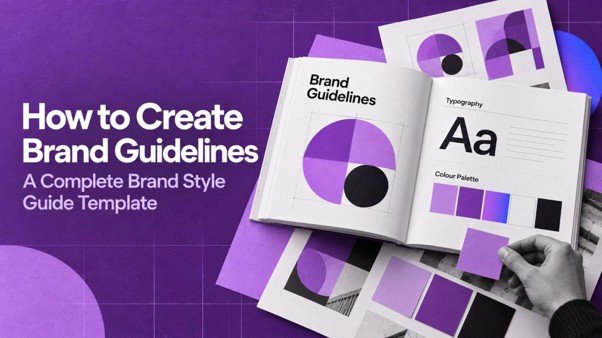
Brand guidelines (also called a brand style guide or brand book) document how your brand looks, sounds and behaves, so anyone creating content can do it correctly. This guide explains what to include, how to create guidelines step by step and how to make sure your team actually uses them.
What Are Brand Guidelines?
Brand guidelines are a set of rules and examples that explain how to use your brand identity. They usually cover:
• Brand foundations: purpose, positioning and personality.
• Logo usage.
• Colour palette.
• Typography.
• Imagery, illustration and iconography.
• Voice and tone.
• Layout and templates.
• Examples of correct and incorrect use.
They can be a PDF, a web page, a shared folder or a design system in a tool like Figma. The format matters less than clarity and accessibility.
Why Brand Guidelines Matter
Consistency Builds Recognition
People recognise brands through repetition. When colours, fonts and tone stay consistent, every post, ad and email reinforces the same memory. Our article on why consistency beats talent in brand building explores this in detail.
Faster, Cheaper Content Production
With clear rules and templates, designers, writers and agencies spend less time guessing and fewer rounds on revisions.
Easier Onboarding
New employees and vendors understand the brand in hours instead of weeks.
Protection Against Drift
Without guidelines, brands slowly change as different people interpret them. Many branding mistakes that cost clients come from this gradual drift.
What to Include in Brand Guidelines
Below is a complete outline. Small businesses can start with the essentials and expand later.
1. Brand Foundations
Start with the “why” so people understand the reasoning behind the rules:
• Purpose, mission and vision.
• Target audience summary.
• Positioning statement.
• Brand values.
• Personality traits (three to five words with explanations).
Keep this section short: one or two pages.
2. Logo Usage
The logo section prevents the most visible mistakes. Include:
• Primary logo and when to use it.
• Variations: horizontal, stacked, icon-only, single colour, reversed.
• Clear space: the minimum empty space around the logo, often defined by a part of the logo itself.
• Minimum size: for print (in millimetres) and screen (in pixels).
• Backgrounds: which versions to use on light, dark and photographic backgrounds.
• Incorrect use: stretching, rotating, recolouring, adding effects, placing on busy images.
Example of Logo Do’s and Don’ts
| Do | Don’t |
| Use the provided master files | Recreate the logo from a screenshot |
| Keep the clear space around the logo | Crowd it with text or other logos |
| Use the white version on dark backgrounds | Place the colour logo on a similar colour |
| Scale proportionally | Stretch or squash it |
3. Colour Palette
List every brand colour with:
• Name and role (primary, secondary, accent, neutral).
• HEX and RGB values for digital.
• CMYK values for print, and Pantone where you print brand items regularly.
• Usage proportions (for example, primary 60%, neutral 30%, accent 10%).
• Approved text and background combinations that meet contrast requirements.
Accessible colour contrast matters for readability. The Web Content Accessibility Guidelines recommend a contrast ratio of at least 4.5:1 for normal body text, which is a useful benchmark for digital materials.
4. Typography
Define:
• Primary typeface for headings and secondary typeface for body text.
• Fallback system fonts for emails and documents where brand fonts are unavailable.
• Font weights and sizes for headings, subheadings, body and captions.
• Line spacing and alignment preferences.
• Where to download licensed font files.
A simple type scale table helps:
| Element | Font | Weight | Size (web) |
| H1 | Brand heading font | Bold | 40–48 px |
| H2 | Brand heading font | Semibold | 28–32 px |
| Body | Brand body font | Regular | 16–18 px |
| Caption | Brand body font | Regular | 13–14 px |
5. Imagery and Photography
Describe the visual style of photos and illustrations:
• Subject matter (real people, products in use, team photos, environments).
• Lighting and mood (bright and natural, warm, high contrast).
• Composition (close-ups, space for text).
• Editing style and filters.
• What to avoid (generic stock photos, overly staged images).
Include sample images. A mood board is often clearer than paragraphs of description.
6. Iconography and Graphic Elements
Specify the icon style (outlined or filled, line weight, corner style) and any brand patterns, shapes or textures. Explain when to use them.
7. Voice and Tone
Visual consistency is only half the brand. Your guidelines should explain how the brand writes:
• Voice characteristics with “we are / we are not” examples.
• How tone shifts by situation (social media, customer support, apologies, formal proposals).
• Grammar and style preferences (British or American spelling, use of emojis, contractions, capitalisation).
• Words and phrases to use and avoid.
• Example rewrites from off-brand to on-brand.
VisionaryCue’s brand communication work develops voice guides that sit alongside visual guidelines.
8. Layouts and Templates
Give people ready-made starting points:
• Social media post and story templates.
• Presentation templates.
• Letterhead, invoice and proposal templates.
• Email signature.
• Ad creative templates for common sizes.
Templates are the single most effective way to make guidelines “stick”, because people use them by default.
9. Application Examples
Show the brand in use: website pages, packaging, signage, uniforms, vehicle graphics and social grids. Real examples help people understand how rules combine.
10. Contacts and Approvals
End with who owns the brand, who approves new materials and where to find the latest files.
How to Create Brand Guidelines Step by Step
Step 1: Audit What You Already Have
Collect all current assets and note inconsistencies. Decide which versions are correct. This is often the moment teams realise they need a refresh before documenting.
Step 2: Confirm the Strategy
Make sure purpose, positioning and personality are agreed. Guidelines that only describe visuals without strategy are easy to misinterpret.
Step 3: Finalise Core Assets
Get master logo files, confirmed colour codes, licensed fonts and a set of approved images in one place.
Step 4: Write Clear Rules With Examples
For every rule, show a correct example and, where useful, an incorrect one. Visual examples are faster to understand than text.
Step 5: Build Templates
Create templates for the materials your team produces most often. Start with the top five.
Step 6: Choose an Accessible Format
A searchable PDF works for small teams. Larger teams benefit from an online brand hub or a shared design library with downloadable assets.
Step 7: Launch and Train
Share the guidelines in a short session with the team and key vendors. Explain the reasons behind the rules.
Step 8: Maintain and Update
Assign an owner. Review guidelines every year and update them when new channels, products or formats appear.
Brand Guidelines Template (Outline)
Use this outline as a starting structure:
1. Welcome and how to use this guide
2. Our purpose, mission and values
3. Who we serve
4. Positioning and personality
5. Logo: versions, clear space, minimum size, backgrounds, misuse
6. Colour: palette, codes, proportions, accessible combinations
7. Typography: fonts, hierarchy, fallbacks
8. Imagery: photography and illustration style
9. Icons and graphic elements
10. Voice and tone, with examples
11. Templates and downloads
12. Brand in action: examples
13. Contacts and approval process
Practical Example: Guidelines for a Social-First Brand
For brands that publish a lot of social content, guidelines need extra detail on motion and video: caption styles, on-screen text placement, intro and outro frames, music mood and how to use colours in reels. VisionaryCue’s creative content work for Fashion TV Salon and Tara Devi shows how consistent visual direction keeps short-form content recognisable across platforms.
An illustrative social-first guideline section might specify: brand colours used as background blocks in the first frame, logo placed bottom-right at a fixed size, captions in the body font in white with a dark overlay for contrast, and a maximum of seven words on screen at once.
Brand Guidelines for Agencies, Freelancers and Partners
Many businesses work with several external vendors: a web developer, a social media freelancer, a printing press and a performance marketing agency. Each needs the brand rules, but not every page of the guide. Consider creating a short “partner pack” containing:
• Master logo files in all formats.
• Colour codes and font files (or links to licensed fonts).
• The voice summary and word list.
• The most relevant templates for their work.
• One page of do’s and don’ts with visual examples.
• Who to contact for approvals.
Share it through one link that you update, rather than sending files by email or WhatsApp. When files are scattered across chats, people inevitably use outdated versions. A single source also makes it easy to replace assets after a refresh.
Questions to Ask Before Sharing Guidelines With a Vendor
• Do they know which logo version to use on dark backgrounds?
• Do they have licensed access to the brand fonts?
• Do they understand the tone for the channel they manage?
• Who reviews their work before it goes live?
Answering these upfront prevents most consistency problems before they start.
Common Brand Guideline Mistakes
1. Too long and theoretical. A 100-page book nobody opens is less useful than a clear 15-page guide.
2. No templates. Rules without templates rely on everyone being a designer.
3. Ignoring digital needs. Guidelines written only for print miss social, web and video formats.
4. Ignoring accessibility. Low-contrast colour combinations and tiny fonts exclude readers.
5. Hard to find. If the guidelines live in someone’s inbox, they will not be used.
6. Never updated. Outdated guidelines lose credibility quickly.
7. No owner. Without someone accountable, exceptions become the norm.
Conclusion
Brand guidelines turn your brand from something a few people understand into something everyone can apply. Start with your foundations, document logo, colour, typography, imagery and voice with clear examples, and support the rules with templates. Make the guide easy to find, train your team and update it as you grow.
Done well, guidelines protect your brand’s consistency, speed up content creation and make every touchpoint feel like the same trusted company.
Need a brand style guide your team will actually use? VisionaryCue’s brand identity and design service delivers identity systems, design systems and templates ready for everyday use. Contact us to discuss your brand.
Frequently Asked Questions
What are brand guidelines?
Brand guidelines are a document or online resource that explains how to use a brand’s identity correctly. They typically cover logo usage, colours, typography, imagery, voice and tone, templates and examples of correct and incorrect use. Their purpose is to keep every piece of communication consistent and recognisable.
What is the difference between brand guidelines and a style guide?
The terms are often used interchangeably. Some teams use “style guide” for editorial rules such as grammar, spelling and formatting, and “brand guidelines” for the full identity, including visuals and voice. In practice, a complete brand guideline document usually contains both visual and writing style rules.
What should be included in brand guidelines for a small business?
A small business should at least include brand foundations, logo versions and rules, colour codes, fonts, basic imagery direction, voice and tone with examples, and a few templates for social posts, presentations and documents. This essential set can fit in ten to fifteen pages and covers most everyday needs.
How long should brand guidelines be?
Length depends on the brand’s complexity. Small businesses often need 10 to 20 pages, while large organisations with many products and channels may need much more. Focus on clarity rather than page count. A short, practical guide with templates is used far more than a long, theoretical book.
Who should create brand guidelines?
Brand guidelines are usually created by the designer or agency that developed the identity, together with the marketing lead or founder who owns the brand. Input from content, sales and customer teams helps make the voice and template sections practical for the people who will use them daily.
How often should brand guidelines be updated?
Review them at least once a year and update them whenever you add new channels, products, formats or significant identity changes. Keep a version number and date on the document so everyone knows they are using the latest edition, and archive older versions to avoid confusion.
What format is best for brand guidelines?
A well-designed PDF works for many small teams. Growing teams benefit from an online brand portal or shared design library with downloadable logos, fonts and templates. The best format is the one your team and vendors can find and use quickly, ideally with one central link.
Do brand guidelines include tone of voice?
They should. Visual identity and verbal identity work together. A voice and tone section explains how the brand writes, how tone changes by situation and which words to use or avoid, with before-and-after examples. Without it, content from different people can sound like different companies.
How do I get my team to follow brand guidelines?
Make the guidelines easy to access, explain the reasons behind the rules, provide templates for common tasks, train new joiners and vendors, and assign someone to review important materials. Celebrate good examples and correct mistakes kindly. Templates are the most effective tool for consistent use.
Should brand guidelines cover accessibility?
Yes. Include accessible colour combinations with sufficient contrast, minimum font sizes, guidance on alt text for images, captions for videos and clear, simple writing. Accessibility makes your brand usable for more people and usually improves readability for everyone, especially on mobile screens.